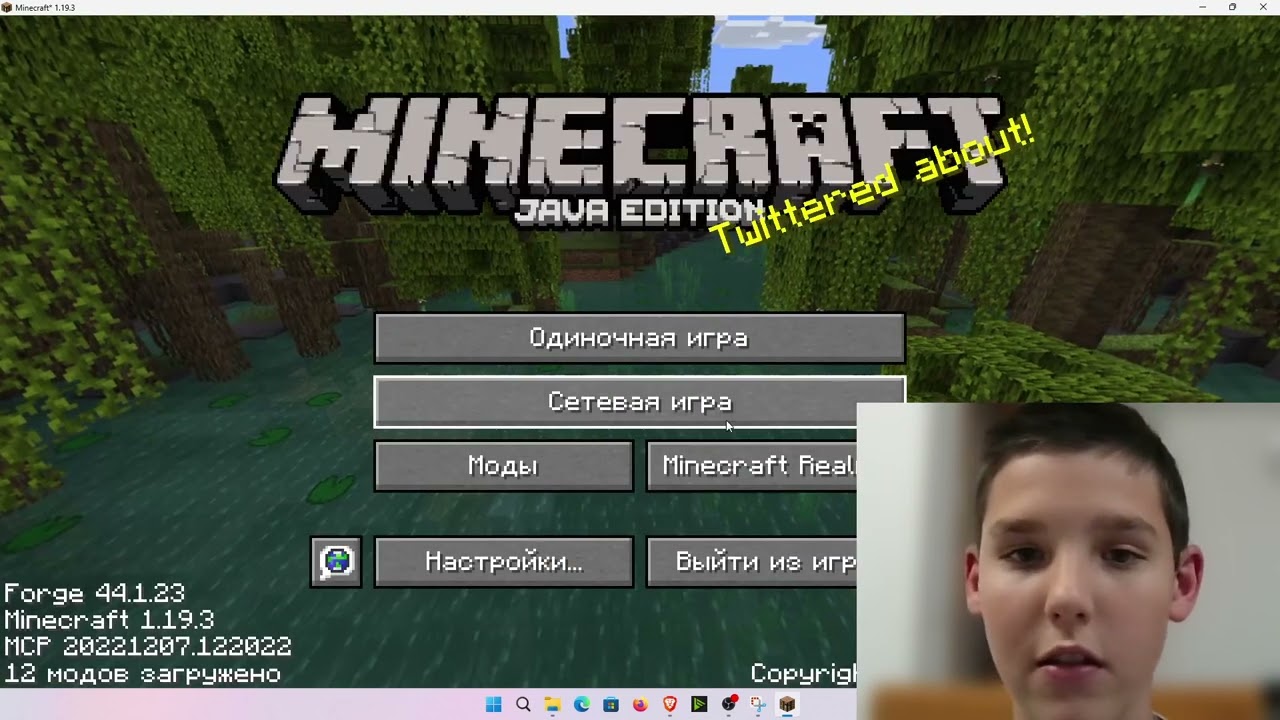
One of the most in-demand formats on the Maxx Storm channel is a detailed guide on how to install Minecraft on a computer from scratch and immediately join a server with friends. In the archival guide Max shows the whole path step by step: downloading the launcher, installing Java, choosing a Forge version, picking mods and connecting to a server where kangaroos and white tigers already run around. We broke the video down by composition and retell it as a clear checklist — and along the way we talk about launcher security.
What the guide is and why it’s still useful
The video came out in April 2023 and gathered one of the channel’s biggest audiences — installing “from scratch” is eternal, because new players keep coming to Minecraft. The author sets the task outright: you have a computer but no game — today we fix that. The free path through the third-party TLauncher launcher is shown, which, according to Max, is downloaded by millions of players, and along with it both Forge and the mods are installed at once. If you’re choosing a launcher in 2026, be sure to read our breakdown — how to install Minecraft on Windows without catching a virus: it’s about the same path, but from a security standpoint.
Step-by-step installation: from download to first launch
- Download the launcher from the official site and choose a language — Max takes Russian, it’s more convenient to navigate the menu.
- Choose a platform: Windows, Linux or macOS — the author has Windows.
- During installation uncheck the extra browser — it installs a program that won’t be needed in the game.
- Wait until the launcher installs Java itself: the first launch takes longer, after that everything will load fast.
- Choose Forge version 1.19.3 and press “Install” — it’s on this version that most mods in the video work.
- Create your own version with any name (the author’s is called “mod 02”) and don’t change the rest of the settings.
Mods from the video: what to install and how to check
Then Max opens the mods section and finds them one by one via search: skins, SecurityCraft for base protection, an animal mod with kangaroos and toucans, weapons in the spirit of shooters. An important detail that beginners often miss: every mod has an indicator — green means the mod is enabled, grey means it’s off, and then you need to poke it again. After installation the list should say “12 mods loaded” — that’s the signal everything was done right. With such a set you can play solo and on a server, and along the way see how the newfangled animals change the familiar biomes.
First launch and joining the server
When the game launches, Max maximizes it and goes into the network settings. Windows will ask for permission to access — you need to press “Allow”, otherwise the server won’t connect. Then a new server is added in the “Multiplayer” menu: the name can be anything, the address comes from the pinned message in the author’s Telegram group, where the current version and opening times are also published. If the status shows “offline”, don’t rush to delete the server: just wait two or three minutes and press “Refresh” — on the channel’s streams the server is sometimes still coming up. A successful connection is accompanied by a welcome message, and then the most interesting begins: on Max’s server kangaroos, white tigers, moose, worker ants and even an orca run around — Max mercilessly spends assault-rifle rounds on it.
Newbie tactics: don’t step on the author’s rakes
- Don’t tick extra boxes during launcher installation — that’s the main trap of the archival guide.
- Check the mods’ indicators before launching the world: a grey mod in the list won’t load.
- Don’t delete the server because of “offline” — first give it a couple of minutes and refresh the list.
- Download the server address only from the author’s official pinned message, not from comments under other people’s videos.
If after installation you want not just to survive but to take part in this server’s stories, start with the Maxx Storm anarchy server and its beta test — there we told how the author runs events. The full map of rubrics is in the material about the Maxx Storm channel.
Save this short order of actions: launcher from the official site — uncheck the extra boxes — let the launcher install Java — choose the Forge version — enable the needed mods and check the green indicators — allow the game network access — add the server from a trusted source and refresh the list if the status is “offline”. A couple of minutes on these checks saves an evening: if something doesn’t launch, roll back a step and look at the indicators, rather than reinstalling everything in a row.