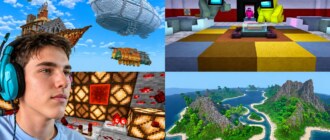
Every builder wants their house or winter base to look in a picture as beautiful as in their head. Good news: almost anyone can make an effective screenshot or short clip, even on a weak computer. No mods for the sake of mods and no years of editing experience needed. We kindly explain a few tricks after which your shots will become noticeably prettier — quickly and painlessly.
A beautiful frame: light and angle
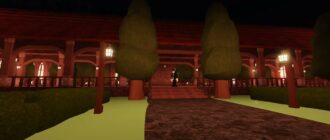
Half the success isn’t the filming object but how the light falls on it. Shoot at sunset or dawn: soft golden and blue tones make the picture cinematic by themselves. Look for an angle slightly from below or at an angle — builds look more majestic that way. Don’t spare the time: walk around the house, look closely where it looks best. Beautiful light is the most accessible “beauty mod” that doesn’t need installing.
A screenshot without extra interfaces
For the frame to look like a postcard, remove everything unnecessary from the screen: health bars, inventory, hints. In the game it’s done with one hide-interface button — and here’s a clean beautiful view before you. Add movement to the frame: falling snow, smoke from the chimney, a running pet — a static scene comes alive instantly. And don’t fear close-ups: a detail of a door or a window sometimes works stronger than the general view.
A short clip in an evening
A clip is just a few beautiful shots glued together. Film five or seven short pieces: the general view of the base, the entrance, a room, a top-down view, the final detail. Glue them in a simple program, put calm music slightly quieter — and you get a pleasant sketch. For the first time 15–30 seconds is enough. Short and beautiful is watched to the end more willingly than long and muddled. For inspiration check our materials.
- Higher render distance — so the view is deep.
- Interface hiding — a clean frame without bars.
- “First person” or “third person” pose — pick for the scene.
- Shadows and smooth light — enable if the computer can handle it.
For a short clip a free simple editor is enough: trim beginnings and ends, glue pieces, lay music. Don’t chase complex programs right away. Master the base — you’ll want more. The main rule: editing should help the story, not turn a beautiful view into porridge of transitions and effects.
Show it and don’t be shy
Made a beautiful frame — show it. The first thing that embarrasses is “but it’s not like the top channels”. But your winter cottage, filmed at sunset with snow outside the window, is already beautiful in its own way. Beauty in Minecraft isn’t about a powerful computer but about the eye and the light. Shoot, share with friends and learn to see beautiful moments around your own build. And we’ll suggest more tricks for running a channel that brings joy.
The little things visible on a good frame
A beautiful shot differs by details. Remove trash and random blocks around the build, sweep the path, place lanterns evenly, add a couple of snowdrifts or flowers where they beg for it. The frame loves order: when there’s nothing extra in view, the eye rests and sees the main thing. And don’t rush to squeeze the photo into a tiny picture — give the composition air, leaving space around the object. These simple habits distinguish an amateur shot from a genuinely pleasant one.
The takeaway: beautiful shots are made of “light plus angle plus a clean screen”. Everything else is technique that adjusts. Try these tricks on the nearest evening in the game, and you’ll be surprised how pretty an ordinary walk around your base can be.